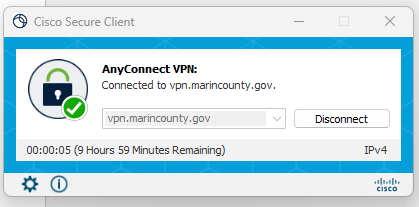
Connecting to MCSO VPN
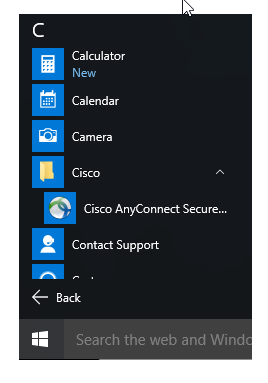
1.) Open Cisco AnyConnect from the Start Menu
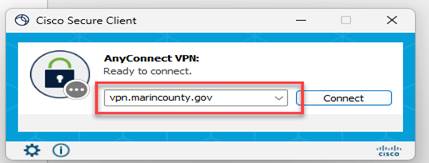
2.) Enter the following address vpn.marincounty.gov on the blank address bar.
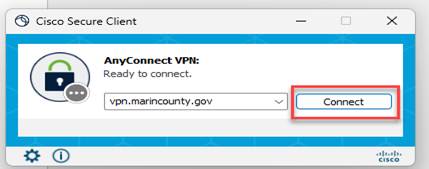
3.) Click on Connect
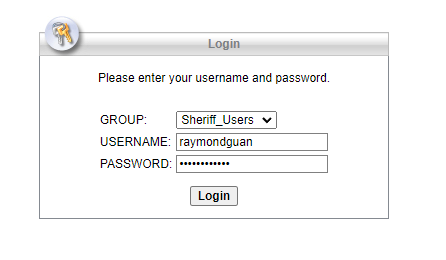
4.) Click on Group drop down menu, and select Sheriff_Users
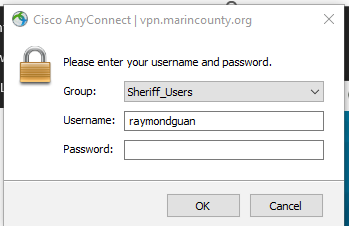
5.) Enter Username: FirstnameLastname
Password is your email password.
Click Login
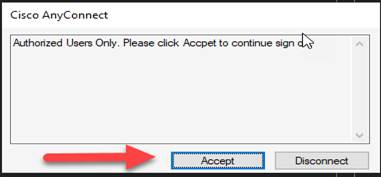
6.) Click Accept
7.) It should prompt a successful connection message, or you can check if you are connected by opening the Cisco AnyConnect application from Start Menu